
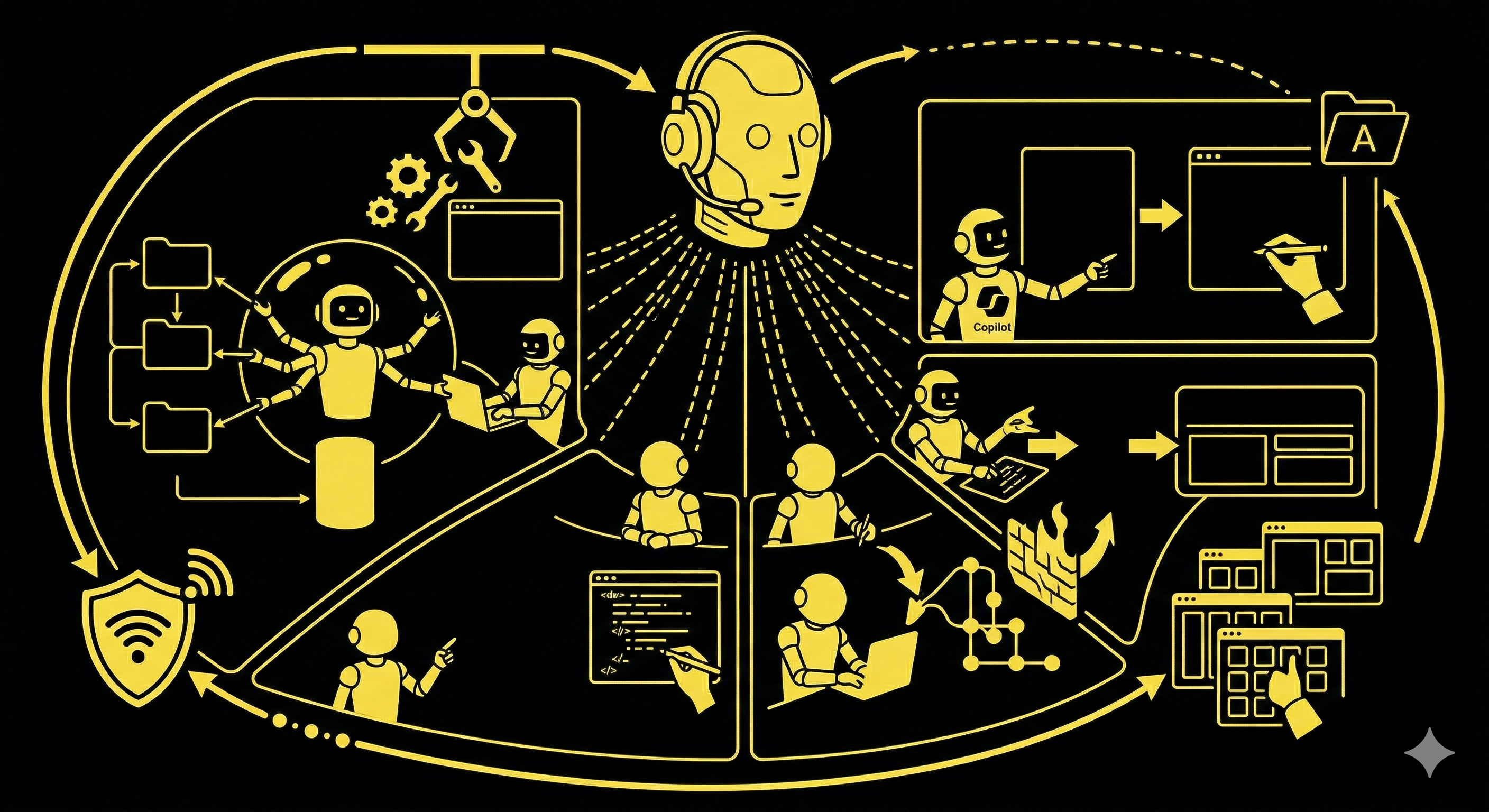
A senior developer’s real bottleneck isn’t writing code. It’s managing the complexity of a large project: juggling multiple repositories, remembering different build steps, orchestrating work across teams. AI is a fantastic pair programmer, but we needed a way to scale it beyond the code editor.
This post breaks down how we set up a team of GitHub Copilot Agents to handle entire engineering tasks in parallel, securely and repeatably. If you’re running a multi-repo project, this setup lets your engineers focus on architecture rather than admin.
What we mean by an “agent environment”
“Agent environment” sounds abstract, but in practice, it’s just like onboarding a new engineer. You have to give them three things:
- A computer with the code: A complete, self-contained, secure workspace where they can run the project.
- The right tools and permissions: The SDKs, dependencies and credentials needed to build, test and push their work.
- A clear playbook: A step-by-step guide on how your team creates branches, commits code and opens pull requests.
Our agent environment provides that for a GitHub Copilot AI Agent. It’s a combination of a centralised repository, an automated setup script and a markdown instruction file. These three steps only have to be configured once, and can be reused for all future tasks.
Putting an agent to work: a real-world walkthrough
Let’s walk through a common task: “Add a ‘user export’ button to the admin panel that triggers a new backend API endpoint to generate a CSV”. This task spans two repositories (ProjectBackend and ProjectAdmin) and follows a specific contribution process.
Instead of having a developer context-switching between the two, a senior engineer gives this high-level directive to a Copilot Agent. Here’s what happens next:
1. The workspace: a single source of truth
The agent needs the full project context. Our first step was creating a central “wrapper” repository that pulls in ProjectBackend and ProjectAdmin as Git submodules. When an agent session starts, it gets a complete, sandboxed copy of the entire application stack.
2. The tools: automated environment setup
Next, the agent needs its tools. We handle this with a workflow file that GitHub Copilot automatically runs for each agent session. This is our provisioning script that defines the entire development environment.
It checks out the submodules, sets up Node.js, installs dependencies, and configures Git credentials so the agent can push its work and open a PR.
# .github/workflows/copilot-setup-steps.yml
name: "Copilot Setup Steps"

on:
  workflow_dispatch:

jobs:
  # The job MUST be called `copilot-setup-steps`.
  copilot-setup-steps:
    runs-on: ubuntu-latest
    permissions:
      # Read permissions are needed to clone the repository and submodules.
      contents: read

    steps:
      # Checkout the main repository and its submodules.
      # The GH_TOKEN is necessary for private submodules.
      - name: Checkout code
        uses: actions/checkout@v5
        with:
          token: ${{ secrets.GH_TOKEN }}
          submodules: recursive
          persist-credentials: true

      # Configure Git to use the token for any HTTPS operations,
      # which allows pulling from private submodules.
      - name: Configure Git credentials for private submodules
        run: |
          git config --global url."https://${{ secrets.GH_TOKEN }}@github.com".insteadOf "https://github.com"
          git config --global user.name "github-actions[bot]"
          git config --global user.email "github-actions[bot]@users.noreply.github.com"

      # For each submodule, authenticate with the GitHub CLI.
      # This is crucial for enabling the agent to push changes and create PRs.
      - name: Configure Git for a submodule
        run: |
          cd your-submodule-directory
          echo "${{ secrets.GH_TOKEN }}" | gh auth login --with-token
          gh auth setup-git

      # Ensure submodules are on the latest commit.
      - name: Update submodules to latest
        run: git submodule update --remote

      # Set up the specific tech stack required by your project.
      - name: Setup node
        uses: actions/setup-node@v6
        with:
          node-version: '20'

      # Run setup commands like installing dependencies.
      - name: Install dependencies for admin panel
        run: cd your-admin-submodule && yarn install

      # Run build commands if necessary.
      - name: Build the backend
        run: cd your-backend-submodule && make build
3. Security: the built-in firewall
Each GitHub Copilot Agent operates within a secure, sandboxed environment that has its own network firewall. By default, it only has access to a recommended list of external resources. To grant it the ability to create pull requests, you have to explicitly add GitHub’s API endpoints (api.github.com and https://api.github.com/graphql) to the allowlist in your repository settings (Settings > Copilot > Coding agent).
This is what makes autonomous work feasible. The agent has internet access, but it’s restricted to approved endpoints. It can’t hit a random URL or exfiltrate data, which gives us the confidence to grant it this level of autonomy.
4. The playbook: the agent’s standard operating procedure
The agent instructions are handled by a simple markdown file, .github/copilot-instructions.md. This is our playbook, which defines our team’s specific, multi-step contribution workflow.
This is where you get ultra-specific. You can’t assume the agent knows how to work with your submodule architecture, you have to tell it step by step.
<!-- .github/copilot-instructions.md -->
## Repository Structure & Contribution Workflow

This repository contains two primary submodules: `ProjectBackend/` and `ProjectAdmin/`.

**CRITICAL:** Changes made within a submodule (e.g., `ProjectBackend/`) must be pushed to the submodule's own remote repository. The agent's environment is pre-configured with the necessary Git credentials.

### How to Submit Changes

Follow this exact sequence to propose changes to a submodule:

```bash
# 1. Navigate into the target submodule directory.
cd ProjectBackend

# 2. Create a new branch for your task.
git checkout -b copilot/feature-name

# 3. Stage and commit your code changes.
git add .
git commit -m "feat: A clear and concise commit message"

# 4. Push the new branch to the SUBMODULE's remote.
git push origin copilot/feature-name

# 5. Use the GitHub CLI to open a pull request against the submodule's repository.
gh pr create --repo your-org/your-backend-repo --title "Your Feature Title" --body "Detailed description of changes." --base main --head copilot/feature-name
```

Do not push directly to the `main` branch.
Now, the agent has the code, the tools and the rules. We can start a new GitHub Copilot Agent session, provide the requirements defined by the senior engineer and the agent gets to work, writing the API endpoint, adding the frontend button, and finally, packaging it all up into a pull request, following our playbook to the letter.
The human’s role: architect and reviewer
This system doesn’t replace our engineers. It makes them more effective. The boundary is clear:
- Humans provide the strategic direction and final judgment. We define what needs to be done, review the agent’s plan, and ultimately own the code review. The pull request is the critical control point where human experience is applied. We are the architects.
- The agent handles the execution. It does the context-switching, writes the boilerplate, runs the linters, performs an initial code review and follows contribution rules perfectly every time.
Why this matters for complex projects
On a simple, single-repo project, this might be overkill. But in a complex, multi-stream environment, it’s very effective.
- It enables true parallel work. We can spin up many agents to work on many different features in separate sandboxes simultaneously. No more developer bottlenecks.
- It reduces cognitive load. Our engineers no longer have to keep the mental map of five different repos, build systems and deployment scripts in their heads. They can offload that mental model to the agent and focus on solving the hard problems.
- It enforces consistency. Agents don’t get creative with commit messages or forget to link a Jira ticket. Our standards are followed perfectly, improving code hygiene and making our git history far more useful.
By building this repeatable model, we’ve shifted from using AI as an interactive assistant to a tool for delegating entire workflows. If you’re exploring how to scale AI across your engineering team, this is a good starting point. The setup takes an afternoon; the compounding returns show up in every sprint after that.


Webinar: March 18
Claude for Leaders: turning AI into strategic advantage
Claude for Leaders: turning AI into strategic advantage
Free webinar - March 18
